> For the complete documentation index, see [llms.txt](https://typo.gitbook.io/typo-help-docs/llms.txt). Markdown versions of documentation pages are available by appending `.md` to page URLs; this page is available as [Markdown](https://typo.gitbook.io/typo-help-docs/engineering-metrics/code-quality-metrics/vulnerability.md).
# Vulnerability
In code reviews, vulnerability issues refer to potential weaknesses in the software that could be exploited by attackers to gain unauthorized access, steal data, or disrupt its functionality.
These vulnerabilities often arise from mistakes in coding, such as failing to properly validate user input or securely handle sensitive data. Common vulnerability types include injection flaws, where attackers can insert malicious code into the application, and cross-site scripting (XSS), which allows attackers to execute scripts in a user's browser. Other vulnerabilities include insecure authentication mechanisms, where passwords or tokens are not adequately protected, and insecure direct object references, which could allow unauthorized access to restricted resources.
Identifying and addressing these vulnerabilities during code review is essential to enhance the security of the software and protect it from potential threats. By fixing these issues early in the development process, developers can minimize the risk of security breaches and ensure that the software remains safe for users to use.
### **Managing rules for vulnerability-type issues**
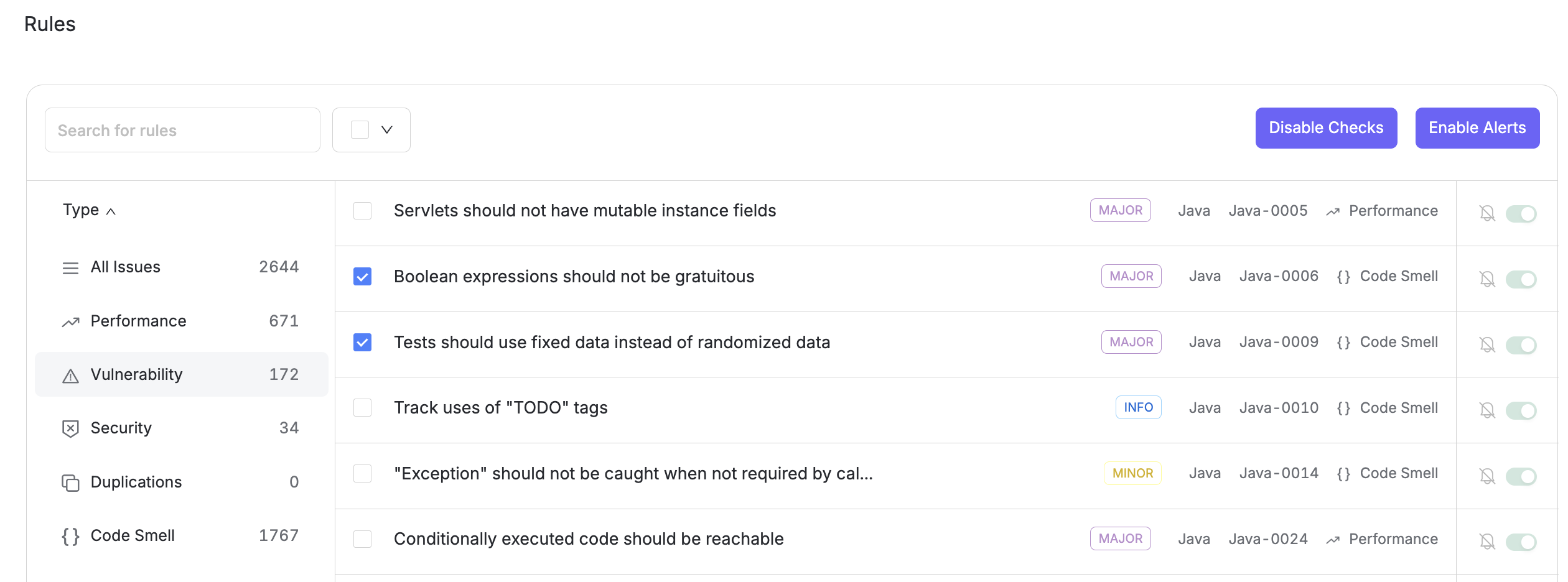
You can manage these from the Settings > Code health > Rules.
You can filter these pre-defined rules based on severity, language, and type.\
Additionally, you have the option to toggle individual rules on and off to mark them as active or inactive.\
Once deactivated, the respective issue will no longer be highlighted during subsequent reviews.